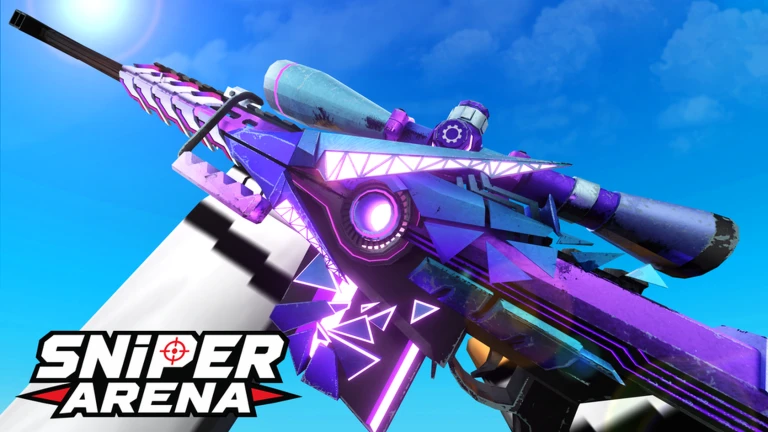
Mastering the fast-paced, high-stakes environment of Sniper Arena requires more than just quick reflexes; it demands a perfectly tuned setup. If you have been searching for the sniper arena best settings to elevate your gameplay, you are in the right place. In this guide, we break down how professional-level configurations can help you dominate the leaderboard, reduce input lag, and land those elusive headshots consistently.
Why Your Settings Define Your Success
In a game where every millisecond counts, your sensitivity and visual settings are the difference between a victory and a respawn screen. Many players struggle because their camera feels too sluggish or their FOV is too narrow, causing them to miss targets in the chaotic free-for-all modes. By dialing in the sniper arena best settings, you ensure that your hardware works in harmony with your muscle memory. Whether you prefer a slow, methodical playstyle or a twitch-aiming approach, the following optimizations will provide the competitive edge you need.
Optimizing Sensitivity and Aiming
Sensitivity is a highly personal preference, but community data suggests that finding the "sweet spot" is essential for consistency. Some top-tier players swear by lower sensitivity for precision, while others prefer higher values for rapid 360-degree turns.
| Setting Type | Recommended Range | Benefit |
|---|---|---|
| Overall Sensitivity | 26% - 60% | Balances speed and control |
| ADS Sensitivity | 40% - 50% | Crucial for steady long-range shots |
| DPI (Mouse) | 400 - 800 | Standard for competitive shooters |
| Horizontal/Vertical | 100% | Ensures consistent muscle memory |
According to player experience, if you are struggling with over-aiming, try dropping your sensitivity to the 26% range. Conversely, if you feel sluggish while navigating the map, pushing toward 60% will allow for faster movement. Always remember to maintain a 1:1 ratio between horizontal and vertical sensitivity to ensure your diagonal tracking remains fluid.
Visual and Performance Tweaks
Visual clutter can be your worst enemy in a fast-paced shooter. Disabling unnecessary graphical effects not only boosts your frame rate but also allows you to spot enemies against the map background more clearly.
Tip
Performance Optimization Checklist
- Disable Shadows: Reduces GPU load and makes enemies pop out.
- Disable Wear Modifier: Cleans up character models for better visibility.
- Disable Corpses: Keeps the battlefield clear of distracting death animations.
- Enable Enemy Outline: A vital setting for quick target acquisition.
By implementing these changes, you effectively reduce the "noise" on your screen. Community reports indicate that disabling dynamic skins and muzzle flash can significantly stabilize your FPS, which is critical during intense 1v1 duels where every frame counts.
Customizing Your Crosshair
Your crosshair is your primary tool for alignment. While the default settings are functional, many experienced players prefer a minimalist approach to keep their focus on the target's head.
- Shape: Keep it simple—a white dot or a small cross is usually superior to complex shapes.
- Size/Thickness: Keep the thickness low (around 1-3) to avoid obscuring small, distant targets.
- Transparency: Set to 0 (fully opaque) to ensure it is visible even in bright map environments like the Desert.
- Color: Use a high-contrast color like ruby or bright white. Avoid colors that blend into the environment.
Advanced Movement and Utility Settings
Movement is key to survival in Sniper Arena. Configuring your keybinds and movement settings correctly allows you to perform "slide cancels" and quick maneuvers effortlessly.
| Feature | Setting | Reason |
|---|---|---|
| Auto Sprint | Enabled | Saves stamina and reduces key fatigue |
| Hold to ADS | Enabled | More intuitive for precision firing |
| Crouch Key | C | Easier access than Ctrl for many players |
| Quick Melee | E | Vital for close-quarters emergencies |
By moving your crouch bind to 'C', you can slide and shoot without straining your pinky finger on the Ctrl key. This small change, often suggested by high-ranking players, can drastically improve your mobility during fast-paced skirmishes.
Mastering the Maps and Mechanics
Understanding the game's rhythm is just as important as your settings. Since the game features high-speed respawns, you shouldn't worry too much about survival; instead, focus on your kill-per-minute ratio. Use private servers to practice your aim on different maps. As noted in the community, studying shortcuts and spawn points allows you to predict where enemies will appear, turning your reaction time into proactive dominance.
Frequently Asked Questions (FAQ)
Q: What are the sniper arena best settings for beginners? A: Start with a moderate sensitivity (around 40%) and disable all unnecessary visual effects like shadows and muzzle flash to maximize your FPS and visibility.
Q: Should I use a high or low FOV? A: A Field of View (FOV) around 90-95 is generally considered the "sweet spot" in this game. It provides enough peripheral vision without making distant targets appear too small to hit accurately.
Q: Does my mouse DPI matter? A: Absolutely. Most professional players use between 400 and 800 DPI. Pair this with a low in-game sensitivity to achieve the precision required for long-range sniping.
Q: How can I improve my aim quickly? A: Beyond settings, practice in the shooting range daily. Focus on landing consistent headshots on stationary targets before moving to the fast-paced, live multiplayer environment.